
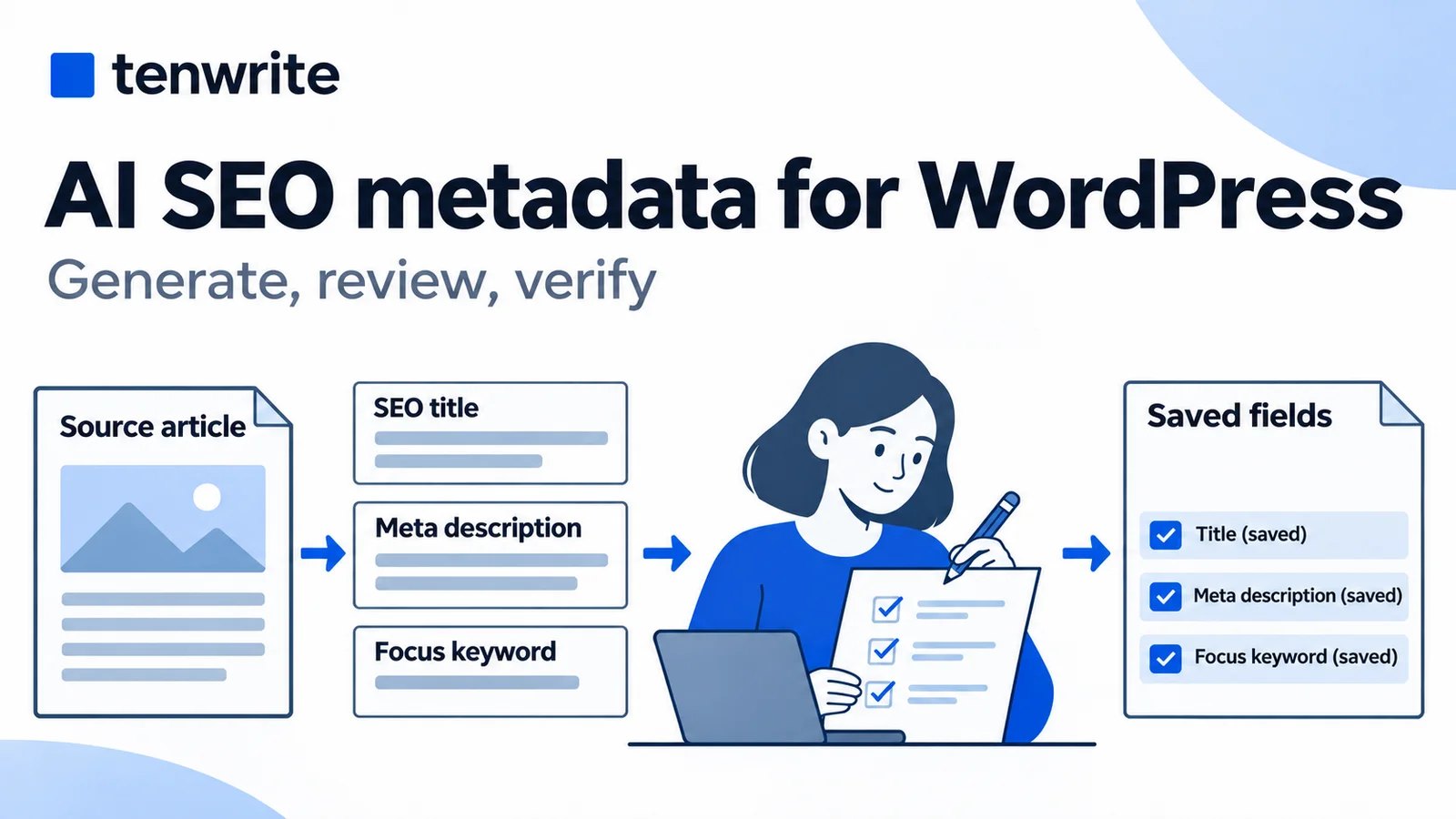
AI SEO metadata for WordPress is useful when it gives an editor a grounded starting point for a title, description and focus keyword. The dependable workflow is to generate suggestions from the finished article, review them, save the approved fields, and then check the page output. A successful generation is not the same as a successful metadata integration.
We tested that process in Tenwrite with an owned Word document on November 6, 2026. We selected three SEO fields, generated suggestions, edited two of them, exported a WordPress draft and uploaded a revision to that same draft. The reviewed values survived the save. Our WordPress preview also exposed a meaningful limitation: the site’s AIOSEO output differed from the fields saved through Tenwrite.
This guide shows the actual results, including that difference. It is intended for writers, editors and agencies publishing finished documents to self-hosted WordPress. If you want to try the workflow, use one representative article and a draft before moving customer content into it.
What AI SEO metadata means in this workflow
An SEO title describes a page in its title element. A meta description summarizes it in the page’s code. A focus keyword is an editorial or plugin field used to identify the intended topic; saving it does not make it a public ranking instruction. These fields serve different purposes and deserve separate review.
The visible post title also has its own job. It introduces the article to a reader on the page. A publication can use related but different wording for its visible title and SEO title, provided both accurately describe the same article. Do not change the subject merely to make an SEO field sound more exciting.
In Tenwrite, generation fills selected publishing fields for review. It does not replace your article with an automatically written blog post. You can accept a suggestion, edit it or write the field yourself. You remain responsible for the claims and the publication settings.
Google’s guidance on generative AI content includes the accuracy and usefulness of metadata. Treat an AI suggestion as a draft, especially when it adds promises, numbers or qualifications that the source article does not support. The human review should improve the description of the article, rather than invent a stronger article than the one you have.
Check the plan and WordPress integration first
Tenwrite’s AI publishing tools have their own credit allowance. Pro includes 30 monthly AI publishing credits and Agency includes 75 shared credits; eligible legacy Pro and Lifetime plans also have an allowance. Free and Starter have no included AI publishing credits. Check the current plans and allowances and the balance shown in your account before starting.
The generation panel says one page pass costs one credit. In our run, the balance moved from 73 of 75 to 72 of 75. We selected the SEO title, SEO description and focus keyword together, and the success message reported one credit spent. That is the result of this run, not a promise about unlimited retries or every possible request.
Manual SEO fields are a separate capability from paid AI generation. You can write your own metadata without asking AI to produce it. Do not confuse SEO Tracker, AI publishing credits and export allowances either: they support different tasks and have different access rules.
For self-hosted WordPress, the Tenwrite WordPress plugin must be installed and active for supported SEO fields. Yoast SEO or Rank Math alone is insufficient. Follow the Tenwrite plugin setup guide and confirm which integration your destination actually uses. WordPress.com and Blogger should not be assumed to offer the same custom SEO fields as this self-hosted workflow.
Our blog uses AIOSEO. This test established that Tenwrite’s reviewed fields were saved and could be read back, while AIOSEO rendered different preview metadata. It did not establish a new end-to-end Yoast or Rank Math test. That distinction matters when you decide what “success” means on your own site.
Prepare a source article that can support the suggestions
Use a finished or nearly finished article, not an outline full of instructions to the writer. Generation can only work with the material it receives. If the introduction promises one task and the conclusion discusses another, a plausible-sounding description may still misrepresent the page.
Our source was a short, owned DOCX checklist previously exported from Google Docs. It contained two H2 headings, an H3, three bullets, a table, a descriptive link and an illustration. It described preparing a Word file, reviewing a converted document and checking the result before release. We reused reviewed sample files rather than uploading customer documents.
A short fixture makes before-and-after checks manageable. It does not establish how every long article, language or unusual layout will behave. For your trial, choose a document that resembles the work you publish, including relevant images and formatting. Read it first so you can recognize a suggestion that strays beyond it.
Tenwrite accepts a local DOCX directly; you do not need to convert it into a native Google Doc first. Local Markdown and text uploads are also available, with different formatting and image requirements. For the broader upload process, use the Word to WordPress walkthrough. Here we focus on the metadata decisions that happen alongside that publishing work.
Upload the document and select the fields to generate
In Tenwrite, open WordPress and choose New Export. Select the connected destination before uploading. We chose the owned Tenwrite Blog site and uploaded ai-trial-v1.docx. Wait for the prepared filename to appear; selecting a file and completing its preparation are separate steps.
We changed the post title from the filename to “AI metadata publishing trial” and kept Draft selected. A filename is useful for identifying a source, but it usually makes a poor visible title. Review both the destination and publication state before considering generated wording.
Once the source was prepared, the Generate with AI panel appeared. It offered SEO title, SEO description, focus keyword, categories, tags and image alt text. We left the three SEO fields selected and cleared categories, tags and image alt text. This kept the experiment focused and avoided treating unrelated suggestions as approved taxonomy or image descriptions.
Open the SEO options to inspect the destination fields. The interface also reminds you about the Tenwrite WordPress plugin requirement. Then choose Generate once and wait for the result. Do not click again merely because the result takes a moment to appear; inspect the status and credit balance first.
Generation did not itself export our document. It populated fields in the form and reported that the values were ready for review. This is the point to read and edit them before submitting the publishing operation.
Review the actual generated title and description
The generated SEO title was “Word Upload Checklist for Reviewing a Converted Document.” The description was “Use this checklist to prepare a Word file for upload, review the converted document’s headings, tables and images, and check desktop and phone previews before publishing.” The focus keyword was “Word document upload checklist.”
These were recognizable summaries of the source rather than invented performance claims. Still, the title left the WordPress destination implicit, and the description did not emphasize updating an existing post. We wanted the approved wording to reflect the publishing task demonstrated by the trial.
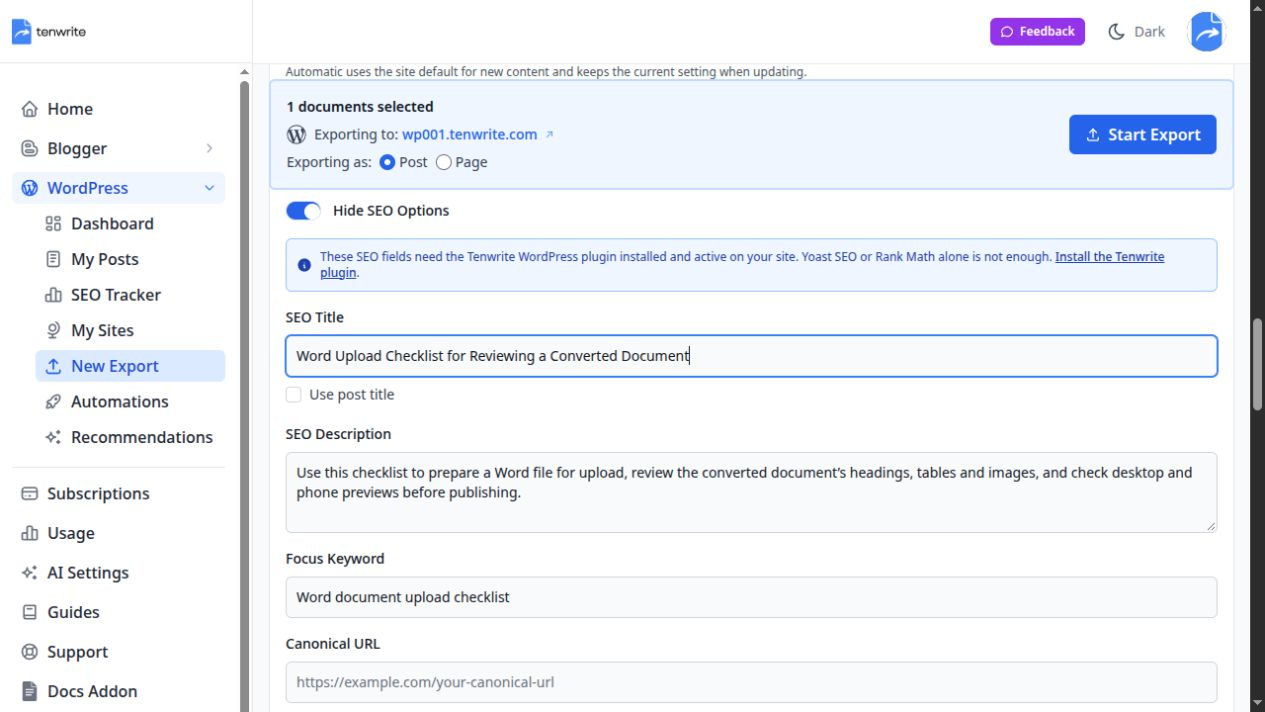
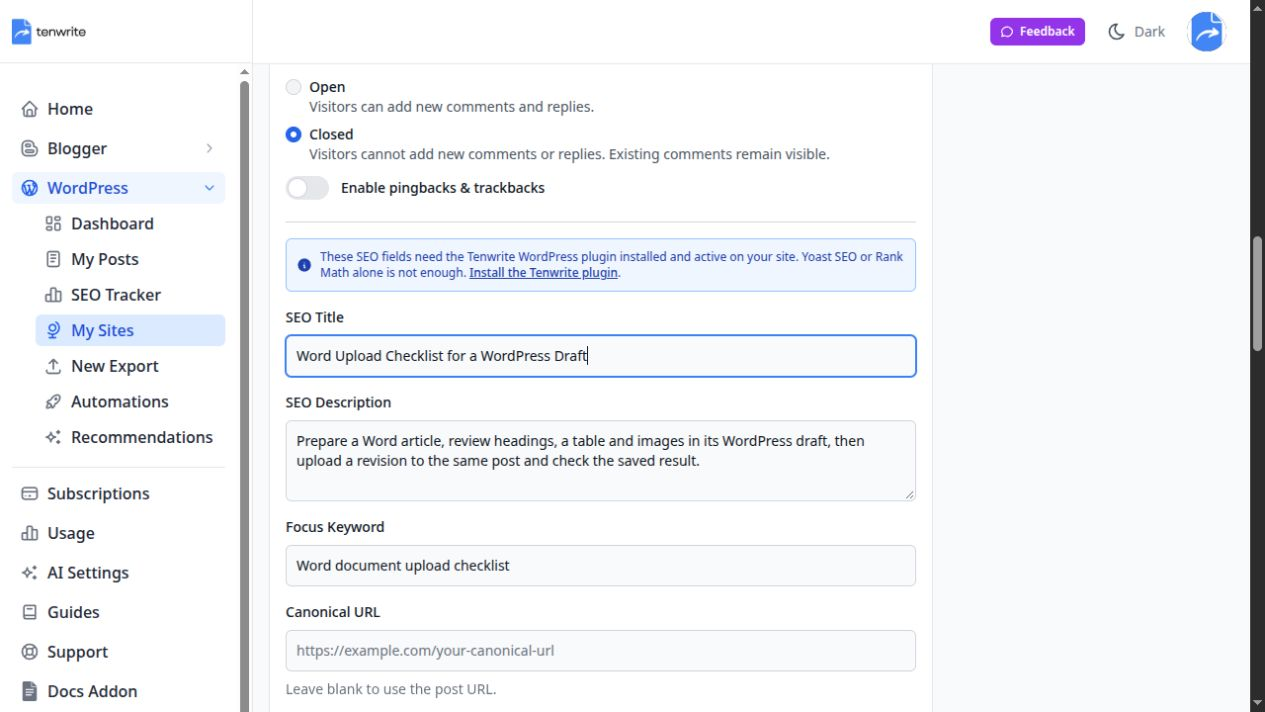
We revised the title to “Word Upload Checklist for a WordPress Draft.” We revised the description to “Prepare a Word article, review headings, a table and images in its WordPress draft, then upload a revision to the same post and check the saved result.” We retained the focus keyword because it remained a reasonable description of the document’s subject.
This is a small editorial decision with a practical purpose. “WordPress draft” gives the reader a clearer destination and review stage. The description describes the work rather than claiming that an upload will be flawless or that metadata will improve rankings. Another article could justify different wording; these are test results, not a reusable formula for every post.
Check suggestions against the article one phrase at a time. If a title says “complete,” “automatic” or “without errors,” locate the evidence supporting that promise. If a description mentions scheduling, an image repair or a comparison, confirm that the article actually explains it. Remove unsupported benefits instead of hoping the body will somehow satisfy them later.
Use length previews as editorial aids
A title or description should be clear and specific enough to help someone decide whether the page answers their question. A character counter can flag unusually long copy, but it cannot establish that the result will display unchanged in search.
Google’s title-link guidance explains that the displayed title can draw on several page signals. Keep the SEO title, visible heading and article subject consistent. Do not write an unrelated headline in the metadata to chase a query the article does not answer.
Similarly, Google’s snippet guidance explains that search snippets can use page content. A saved meta description is a candidate summary, not a guaranteed advertisement. Put a clear answer in the article itself as well as in the description.
Avoid editing solely to hit an exact character count. A shorter description that omits the destination or a crucial limitation may be less helpful than a slightly longer, accurate one. Preview the wording where possible, remove repetition and keep the meaningful distinction near the beginning.
Save the reviewed fields with a draft export
For our sample, we selected WordPress Blocks and Balanced cleanup, removed inline styles, and enabled copying images into the Media Library with the first image used as the cover. These were deliberate choices for the test site. Your theme may need different presentation settings.
Before submission, Tenwrite’s publication confirmation explicitly said the source would remain a draft. We confirmed that outcome. The export created WordPress draft 1670, and we opened its existing record in Tenwrite afterward.
The saved SEO title matched the reviewed title exactly. The saved description matched our edited description, and the focus keyword retained the generated wording. Reading the saved record matters: values visible immediately after generation are only unsaved form state until an operation succeeds.
We also opened the authenticated WordPress preview and inspected the headings, list, table, link and loaded featured image. A separate WordPress login may be required for a draft preview even when you are signed into Tenwrite. The preview is where you assess what the destination actually saved and rendered, rather than relying entirely on an export success message.
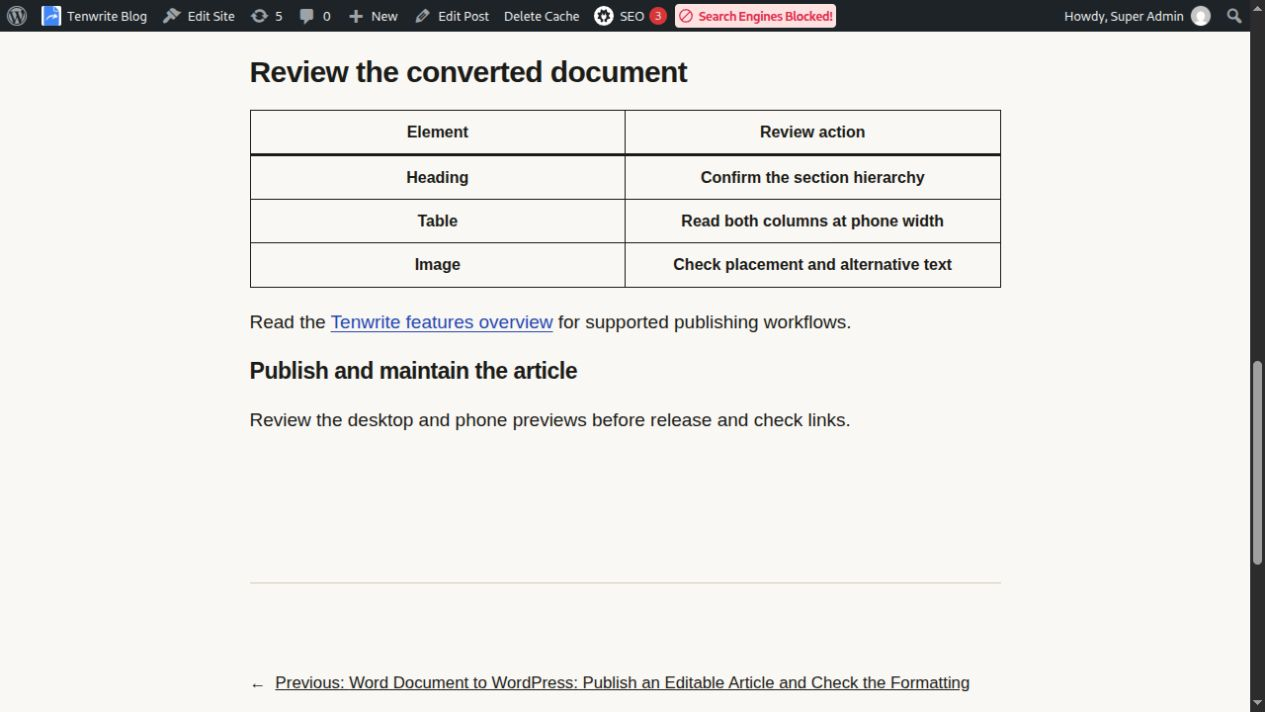
Our sample table rendered all its cells as headers. That is a limitation to catch during document review, and a reminder that metadata success does not certify body accessibility. Review the article content and the SEO fields as separate responsibilities.
Check rendered metadata rather than assuming integration success
The saved fields passed the readback check, but the preview’s page title was “AI metadata publishing trial – Tenwrite Blog.” Its description was derived from the sample article body. Neither matched the custom title and description we had approved in Tenwrite.
That difference is central to the demonstration. On this site’s AIOSEO setup, saving the Tenwrite fields did not establish that AIOSEO would use them for its output. We did not install another SEO plugin, change the site’s plugin configuration or claim that the mismatch had been repaired.
On your own site, compare three things: the approved values in your publishing source, the saved destination fields, and the rendered title and description. A browser tab can reveal the page title, while page source or a suitable inspection tool can reveal the description. For a public article, also check canonical and indexing output independently.
If those layers differ, identify which plugin or theme controls the output before repeating generation. Spending another AI credit will not fix a field-mapping or rendering problem. Use the supported Tenwrite plugin integration and resolve conflicting output with the site owner or developer.
The focus keyword requires a different check. It is useful as an editorial or SEO-plugin setting, but you should not expect it to appear as a visible public tag or a search-result field. Confirm its saved value without confusing it with the article’s title, URL or description.
Update the same post after revising the source
The second part of our test used ai-trial-v2.docx. It changed the final sentence from “Review the desktop and phone previews before release.” to “Review the desktop and phone previews before release and check links.” We opened draft 1670’s existing Tenwrite record and uploaded the revised file there.
We also revised the SEO description to reflect the link check: “Prepare a Word article, review its WordPress draft and links, then upload a revision to the same post and check the saved headings, table and images.” The reviewed title and focus keyword stayed unchanged. We did not run generation again or spend another generation credit for this manual edit.
After choosing Update Post, the confirmation again said the article would remain a draft. The saved preview retained the same post identity and URL, displayed the revised sentence and preserved the other paragraphs. The title, revised description and focus keyword were then read back from the existing Tenwrite record.
This was a local-file update test. It did not establish continuous synchronization of a computer file or exercise a new linked Google Docs Sync operation. For that related workflow, see the guide to updating a WordPress post from Google Docs. Keep the source type clear when deciding which update action to use.
Troubleshoot the layer that actually failed
If generation controls do not appear, first select a supported destination and prepare a source document. In our existing post record, there was no generation panel until a revised source file was prepared. Check the visible account allowance and any interface explanation before assuming the tool is unavailable everywhere.
If generation is unavailable because the account has no allowance, you can still write supported manual fields. Do not confuse access to paid search tracking with included publishing AI credits. Check the account’s actual plan and current balance instead of copying another user’s screenshot as an entitlement promise.
If generation returns unsuitable wording, edit it against the finished article. Another pass may be useful when the source changes substantially, but repeatedly regenerating is not a substitute for deciding what the article offers. Keep the approved wording in the current publishing source or workflow so the next revision does not restore an old version.
If values save but the public page differs, inspect the Tenwrite plugin, supported SEO integration and the plugin or theme that renders metadata. If the wrong document appears in the article body, investigate the prepared filename and the existing post identity instead. These are distinct failure modes with different remedies.
Try one reviewed article before scaling the workflow
Use a representative document, select only the fields you need, inspect the generated wording and make a deliberate editorial decision. Export it as a draft, read the saved metadata and inspect the actual WordPress output. Then revise that same post so you know how the workflow behaves after the first publication.
Our test demonstrated useful generation, human edits, saved fields and a same-post revision. It also showed why output verification belongs in the process: a saved custom description did not make AIOSEO render that description. Keeping that boundary visible gives you a more reliable basis for adopting the tool.
Try one document in Tenwrite, check your destination’s plugin setup and review the result before publishing customer work. AI can help draft publishing details; a reader should receive the accurate article those details promise.