Welcome to Tenwrite Help Center
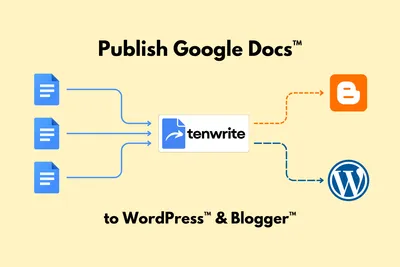
Sign in, connect WordPress or Blogger, and publish your first draft. Then learn how to update content, automate publishing, and track results.
Start here
Section titled “Start here”1. Sign in Use Google or an email sign-in link. No add-on installation is needed for the web app.
2. Connect WordPress Connect a self-hosted WordPress site or a WordPress.com site.
2. Connect Blogger Allow Blogger access and load the blogs you can publish to.
3. Publish a draft Choose a document or file, review its settings, and confirm the publication outcome.
After your first draft
Section titled “After your first draft”- Update it — find your posts and pages, edit details, or update a post from its linked Google Doc.
- Automate — use a Drive folder or Google Sheet for repeated publishing.
- Track results — connect Search Console to follow search performance on an eligible paid plan.
Prefer to work inside Google Docs? Install the Tenwrite add-on. For an overview of the product, see What you can do with Tenwrite.
Tenwrite is an independent product not affiliated with or endorsed by Google LLC, Blogger, or WordPress Foundation. Google Docs, Gmail, Google Workspace are trademarks of Google LLC. WordPress is a trademark of the WordPress Foundation.