
Access the Web Dashboard
The Tenwrite Web Dashboard is a standalone app at app.tenwrite.com. It’s the central place to manage your connected sites, browse and manage your posts, set up automations, review billing and usage, and publish Google Docs — without needing the Google Docs add-on.
Get started
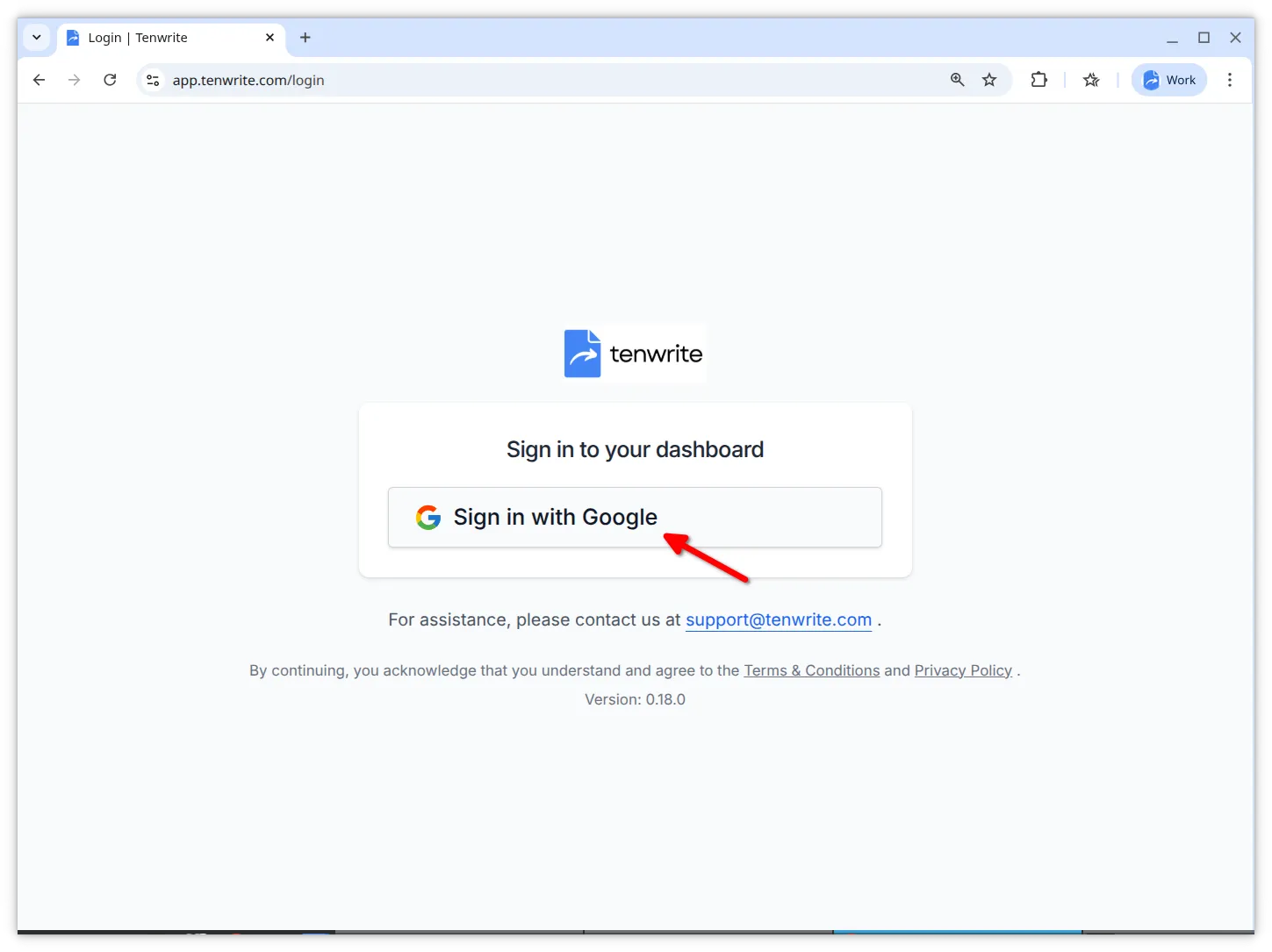
Section titled “Get started”- Go to app.tenwrite.com.
- Click Sign in with Google and choose the account that has your Google Docs.
What you can do here
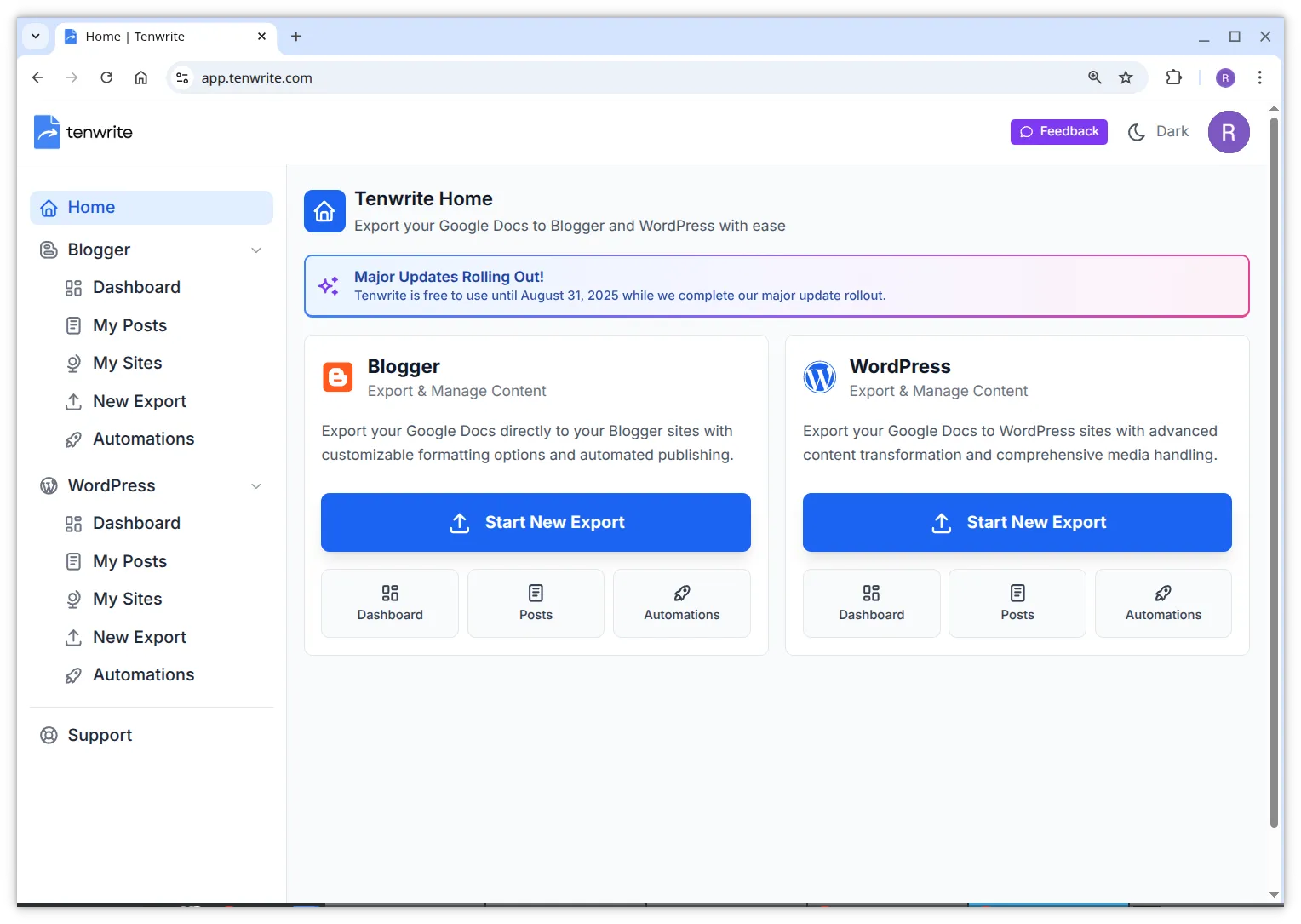
Section titled “What you can do here”- Connect sites — WordPress sites must be connected from the Web Dashboard (not from the add-on). Blogger blogs are discovered automatically once you sign in.
- Publish Google Docs — start a manual export to push one or more docs to WordPress or Blogger.
- Use platform dashboards — open the dedicated WordPress Dashboard or Blogger Dashboard for platform-specific quick actions and site previews.
- Manage your content — browse, search, filter, publish, and unpublish posts and pages across all your connected sites from the Content Index.
- Set up automations — create Drive Automations (folder-based) or Sheet Automations (spreadsheet-based) to publish content automatically.
- Monitor sync status — see when each site was last synced and trigger a manual sync when you need fresh data.
- Manage billing — review your active and inactive subscriptions from Subscriptions.
- Manage team access — assign teammate seats from Team Seats when your plan includes them.
- Track usage — review sites, exports, members, history, and team activity from Usage.
Add-on vs. Web Dashboard
Section titled “Add-on vs. Web Dashboard”Both the add-on and the Web Dashboard share the same core publishing features. Use whichever fits your workflow:
| Task | Add-on | Web Dashboard |
|---|---|---|
| Publish a Google Doc | ✓ | ✓ |
| Connect WordPress sites | — | ✓ (required) |
| Set up automations | ✓ | ✓ |
| Manage all posts in one table | — | ✓ |
| Manage subscriptions | — | ✓ |
| Manage team seats | — | ✓ |
| Review usage | — | ✓ |
| No installation needed | — | ✓ |
Related Guides
Section titled “Related Guides”Troubleshooting
Section titled “Troubleshooting”Can’t sign in
Section titled “Can’t sign in”- Make sure you’re using the Google account that has your Docs and sites.
- Try a different browser (Chrome, Firefox, or Safari).
- Clear your browser cache and try again.
For help, contact support@tenwrite.com.
Tenwrite is an independent product not affiliated with or endorsed by Google LLC, Blogger, or WordPress Foundation. Google Docs, Gmail, Google Workspace are trademarks of Google LLC. WordPress is a trademark of the WordPress Foundation.