
Install the Tenwrite Add-on for Google Docs
The Tenwrite add-on lets you publish Google Docs directly to WordPress and Blogger without leaving your document. Install takes about 2 minutes.
Requirements
Section titled “Requirements”- Google account
- Access to Google Docs
Setup Steps
Section titled “Setup Steps”Step 1: Install from Google Workspace Marketplace
Section titled “Step 1: Install from Google Workspace Marketplace”- Open Google Docs at docs.google.com
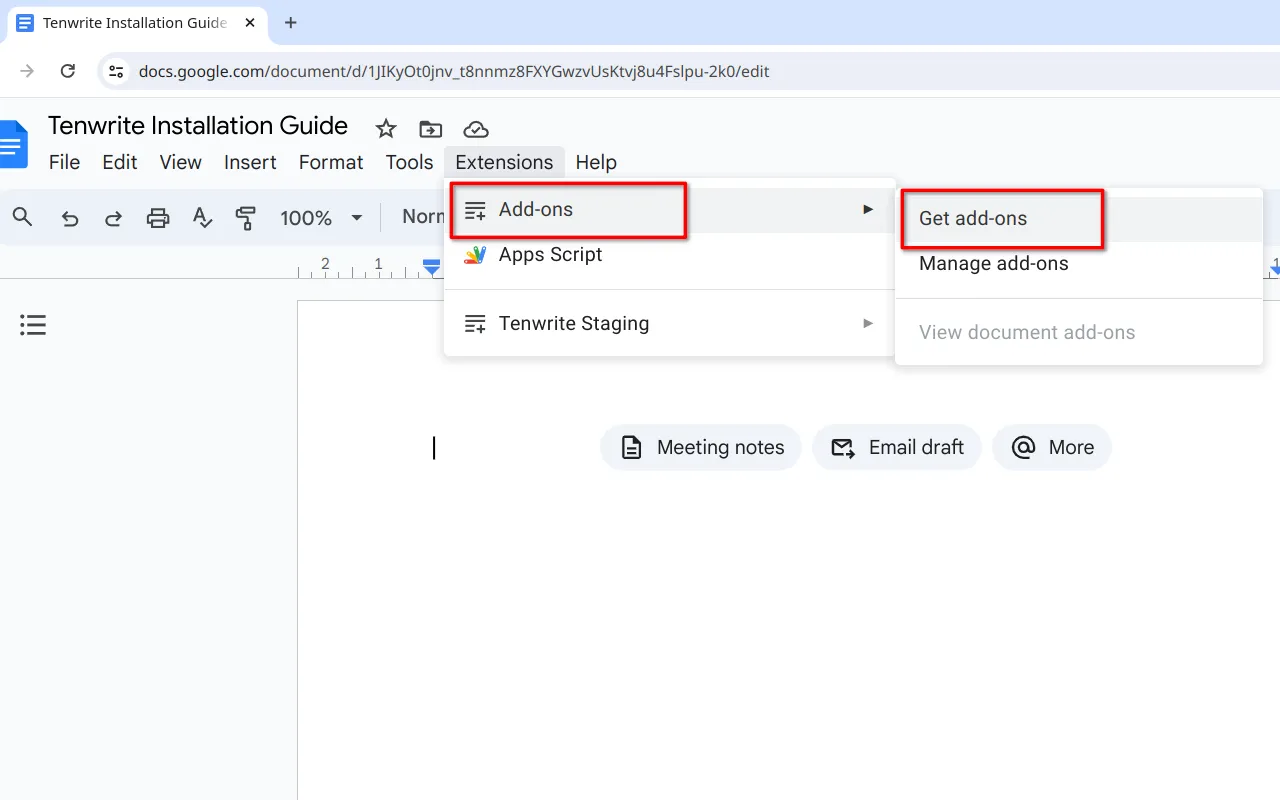
- Access Add-ons: Click Extensions > Add-ons > Get add-ons
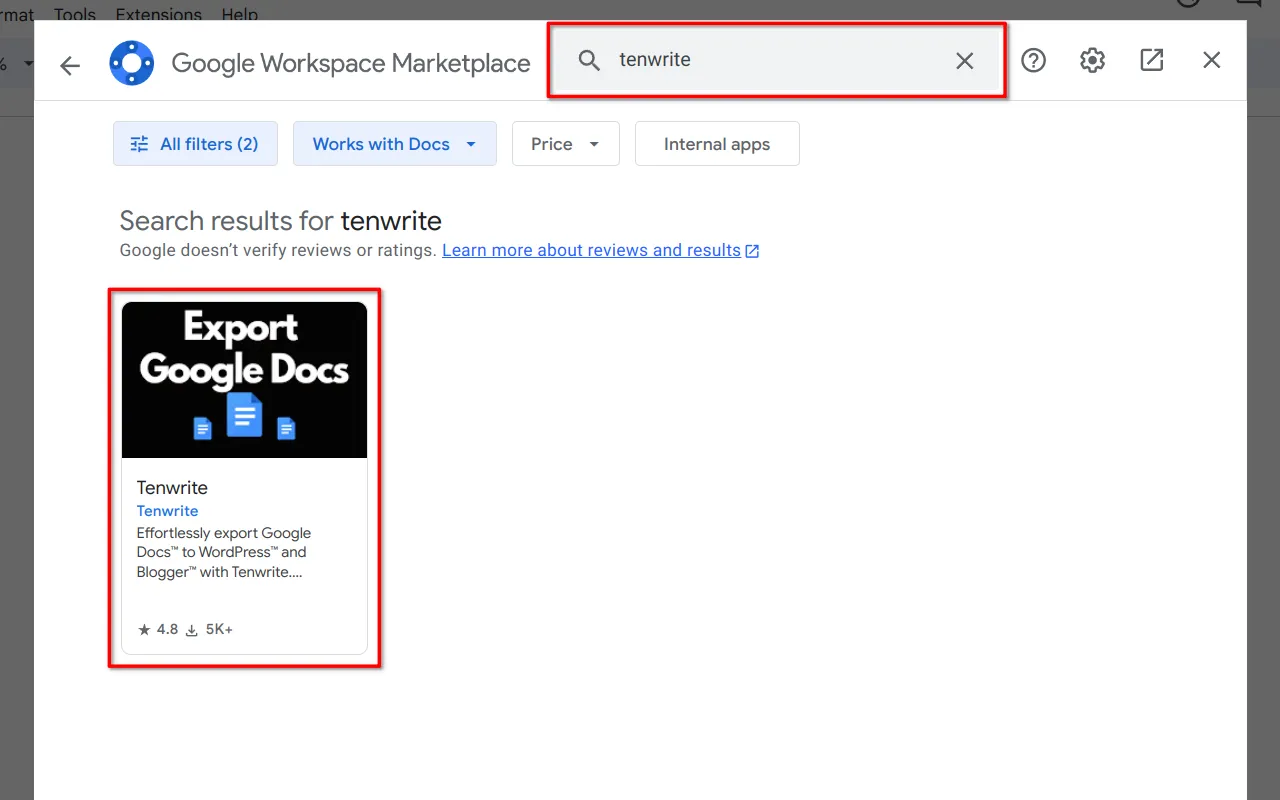
- Search: Type Tenwrite and select it from results
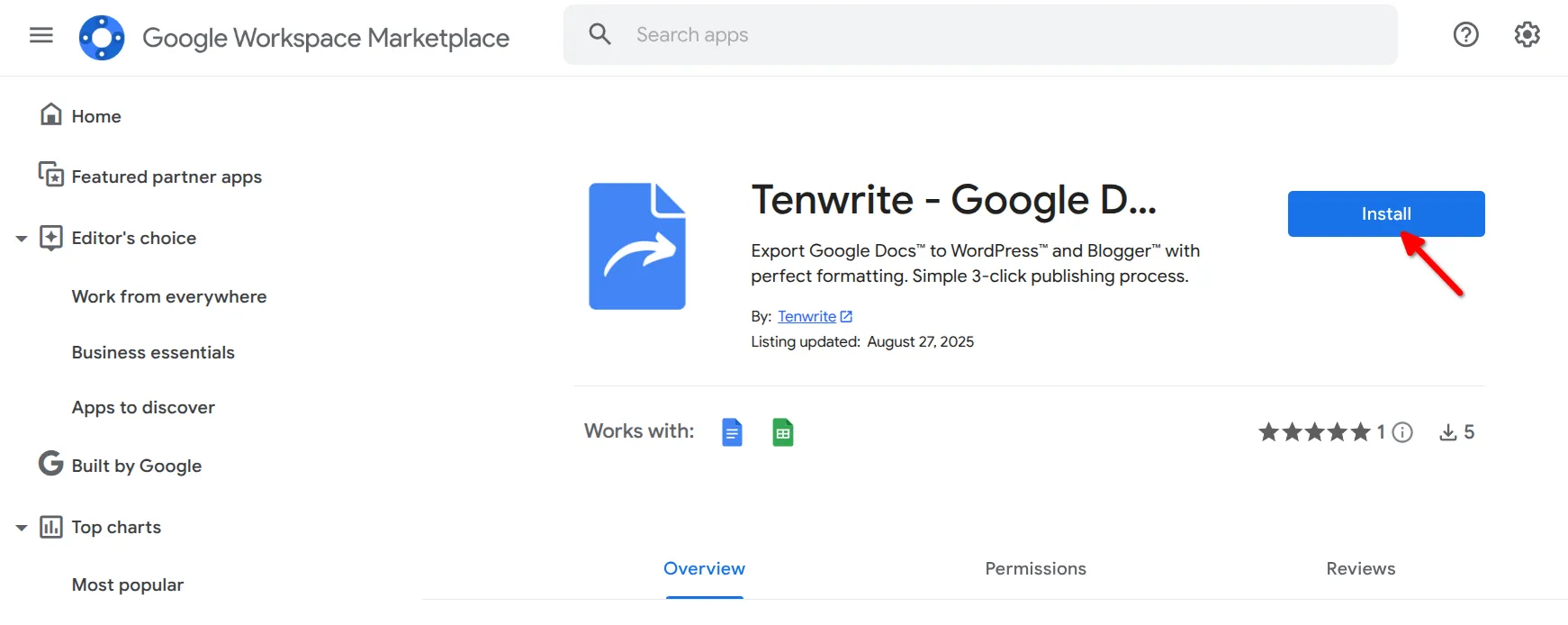
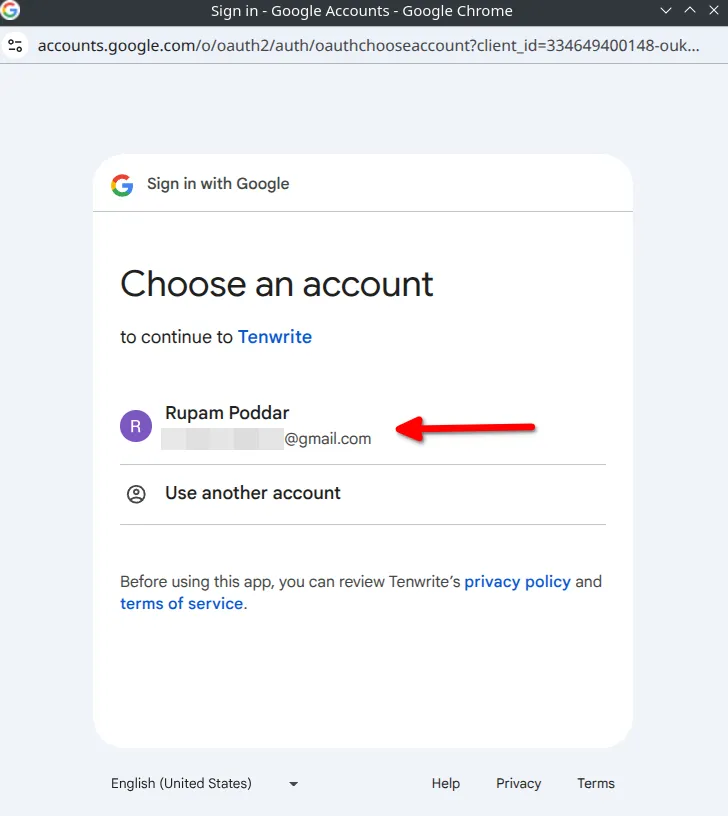
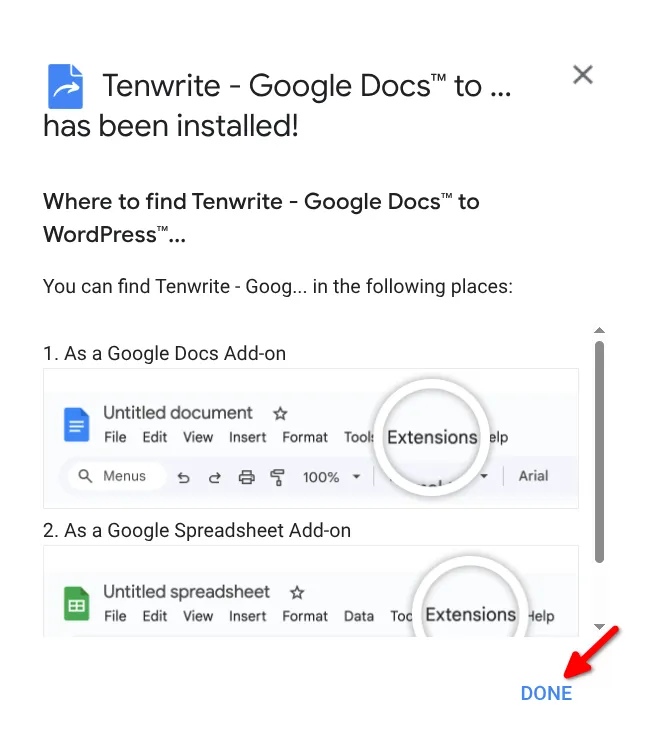
- Install: Click Install and choose your Google account
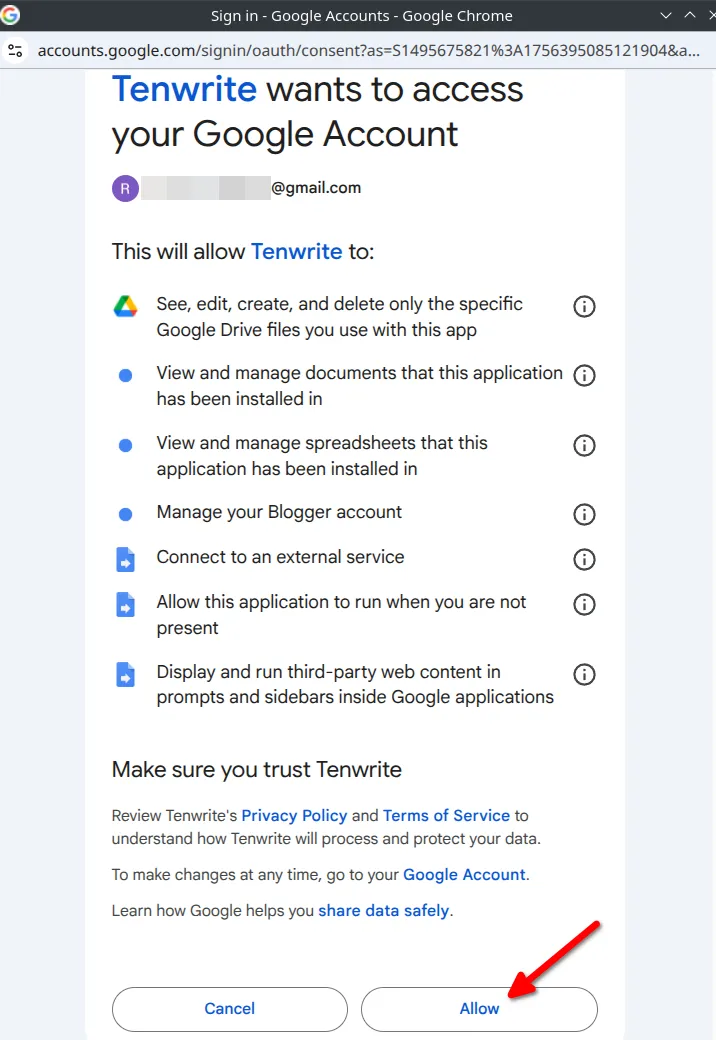
- Authorize: Click Allow to grant permissions
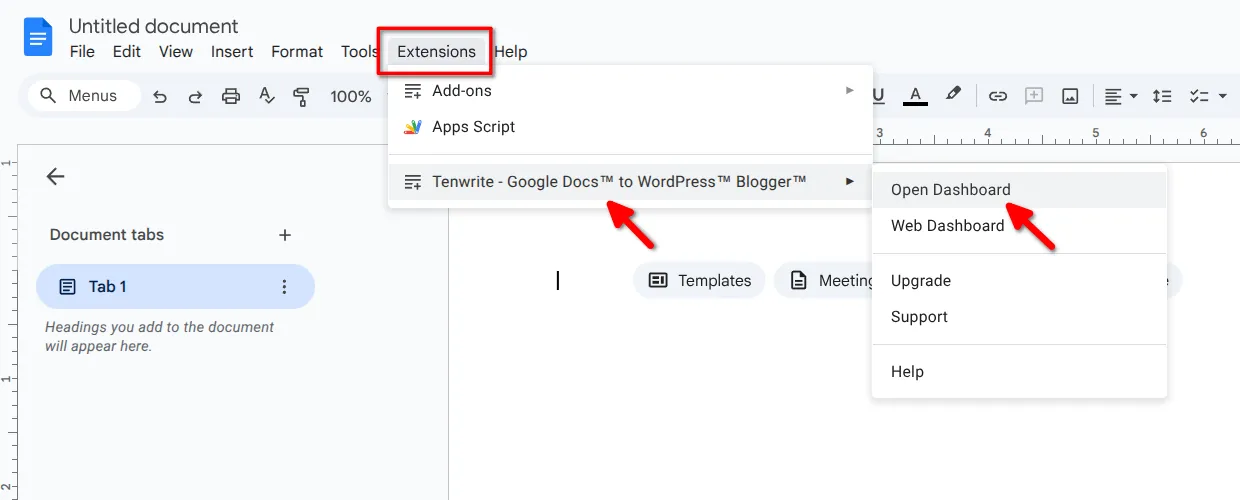
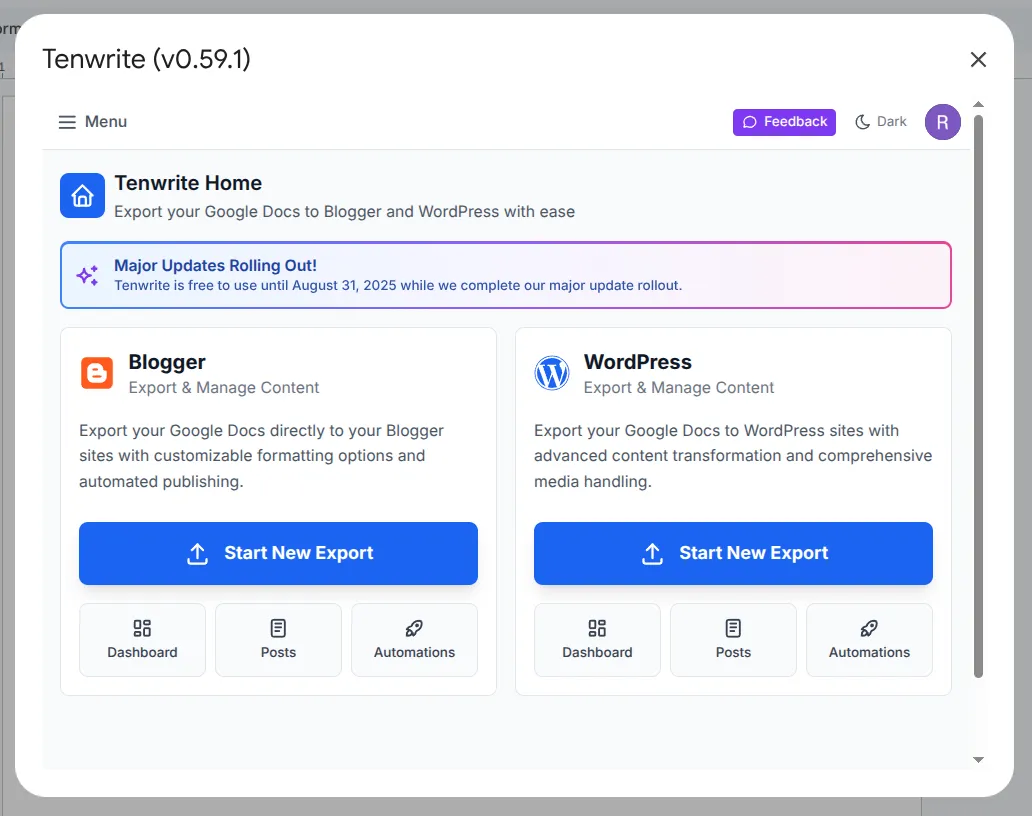
- Start: Access via Extensions > Tenwrite > Open Dashboard
Edit Post Settings from Your Document
Section titled “Edit Post Settings from Your Document”Choose Extensions > Tenwrite > Frontmatter > Insert Blogger Frontmatter or Insert WordPress Frontmatter to open the frontmatter editor in the sidebar. Tenwrite creates a settings table if one is missing, or opens your existing table without replacing it.
Set the title, labels or tags, and publication choice, then click Save frontmatter. Entering a future date selects Scheduled unless you choose Keep as draft. Check the timezone and outcome shown before confirming Export or Sync.
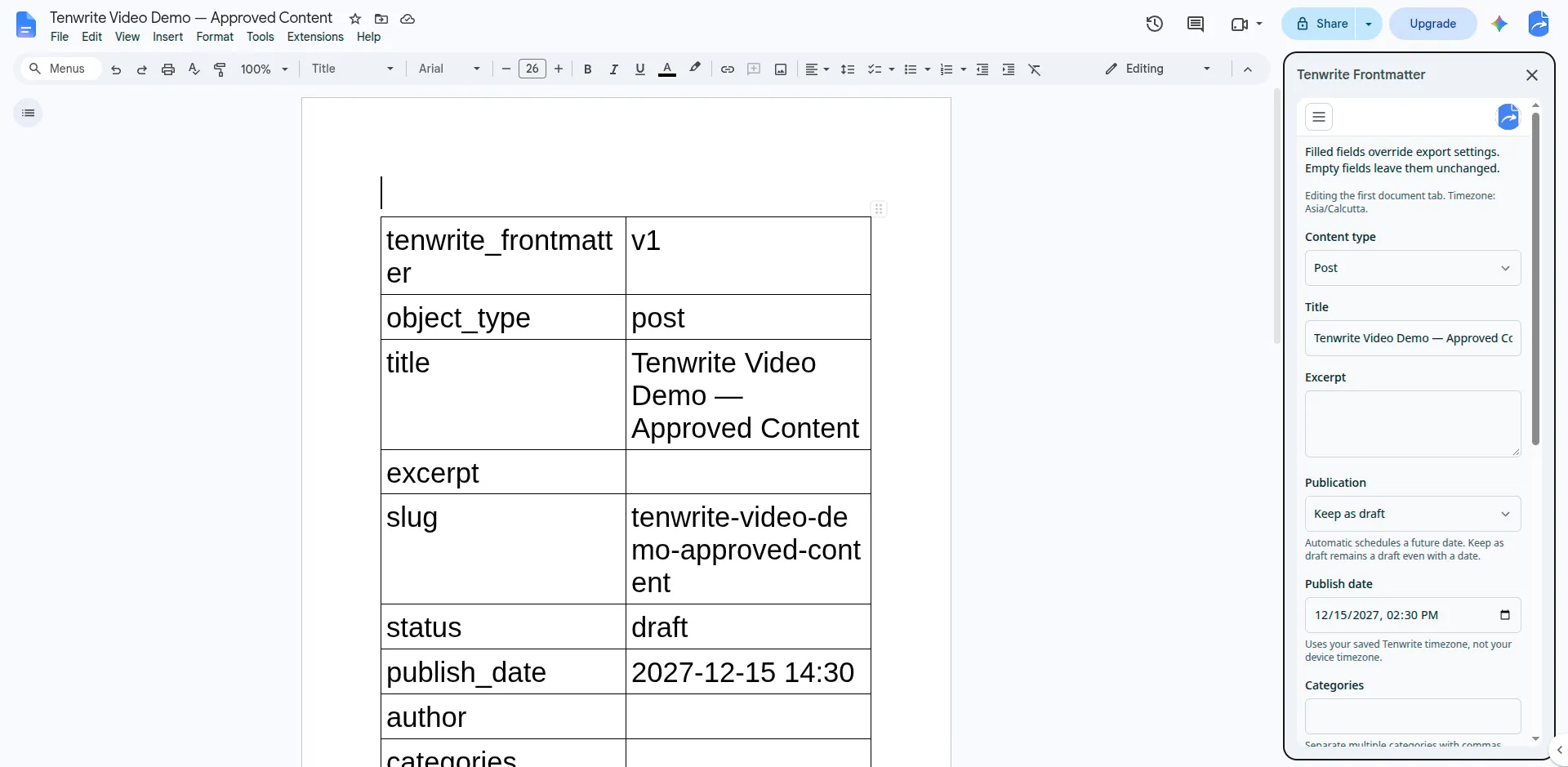
The editor saves to the first tab of your Google Doc. See the Frontmatter Overview for scheduling, drafts, and which settings take priority.
Next steps
Section titled “Next steps”The add-on has everything you need to publish content and set up automations, but you must use the Web Dashboard to connect new WordPress sites.
- Connect your WordPress site (Requires Web Dashboard)
- Export to Blogger
- Export to WordPress
Prefer not to use an add-on?
Section titled “Prefer not to use an add-on?”The Web Dashboard has all the same features as the add-on and works from any browser — no installation required.
Troubleshooting
Section titled “Troubleshooting”Have an Old Version Installed?
Section titled “Have an Old Version Installed?”We recently released a new version of the Tenwrite addon for Google Docs, follow our migration guide to update to the latest version.
Installation Issues
Section titled “Installation Issues”- Try refreshing the page and installing again
- Use Chrome, Firefox, or Safari browsers
- Make sure you’re logged into the correct Google account
For help, contact support@tenwrite.com.
Tenwrite is an independent product not affiliated with or endorsed by Google LLC, Blogger, or WordPress Foundation. Google Docs, Gmail, Google Workspace are trademarks of Google LLC. WordPress is a trademark of the WordPress Foundation.