Blogger - Manage Sites
Blogger > My Sites shows every Blogger blog linked to your connected Google account. Because Tenwrite discovers your blogs automatically during sign-in, there’s no manual setup here — just sign in and your blogs appear.
Opening My Sites
Section titled “Opening My Sites”- Log in to the Tenwrite Web Dashboard.
- Click Blogger > My Sites in the sidebar.
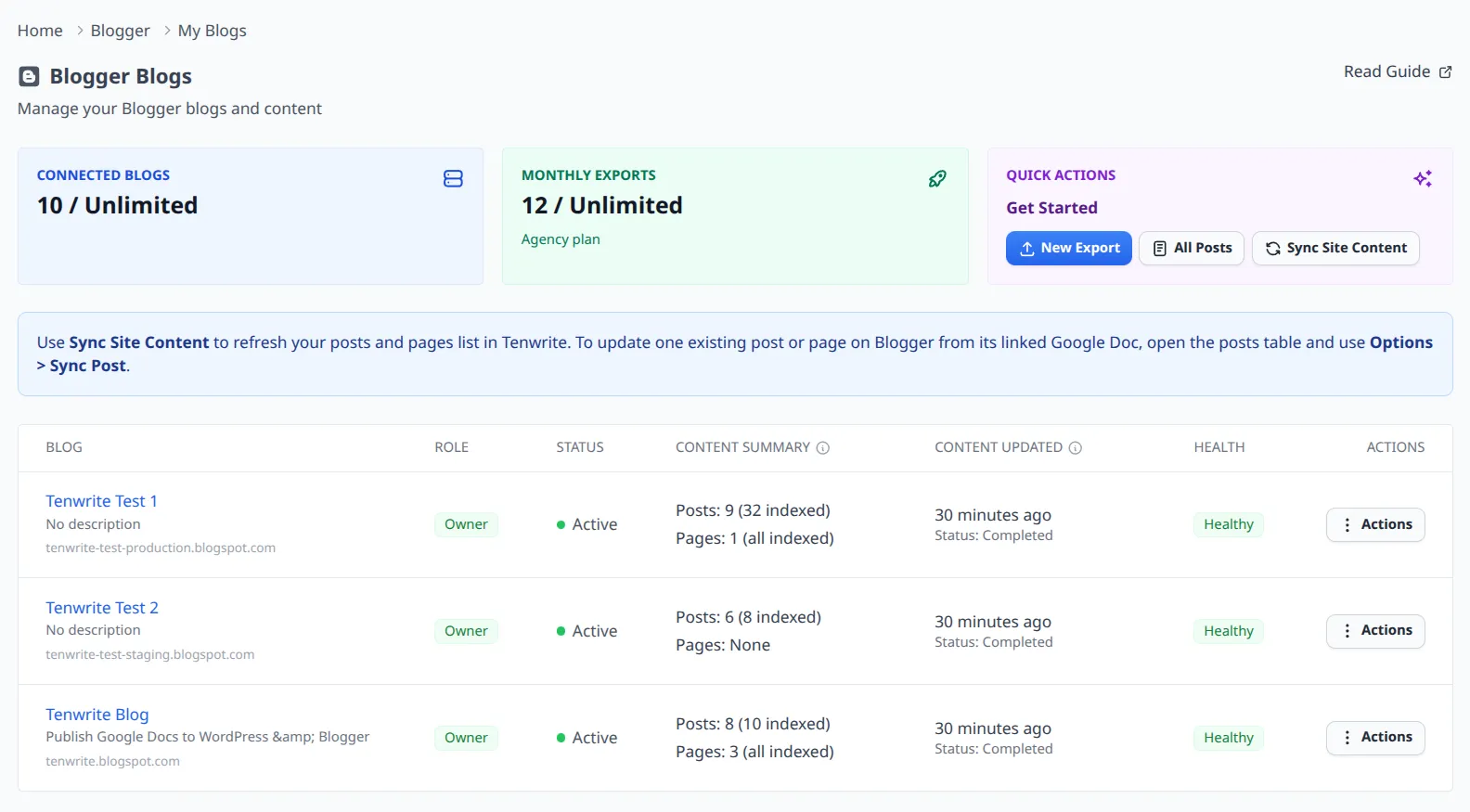
At the top of the page, three overview cards give you a quick snapshot:
- Connected Blogs — how many blogs are active, and how many your plan allows.
- Monthly Exports — your export usage for the current billing period.
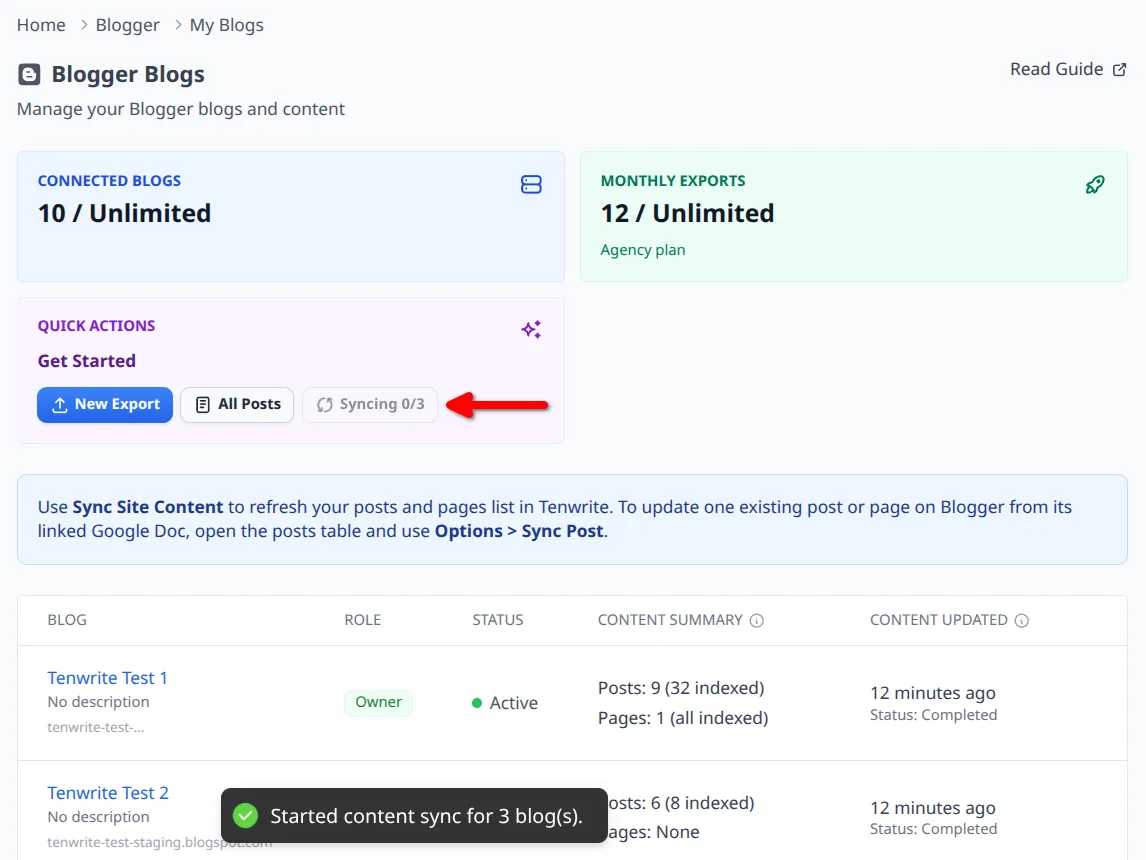
- Quick Actions — shortcuts to start a new export, browse all posts, or sync content.
Below the cards, the blogs table lists every discovered blog with its status, a content summary (how many posts and pages are indexed), and when it was last synced.
Keeping Your Content in Sync
Section titled “Keeping Your Content in Sync”Tenwrite keeps an index of your Blogger posts and pages so that My Posts loads instantly — no waiting on live Blogger API calls every time you open the page. The index updates automatically twice a day.
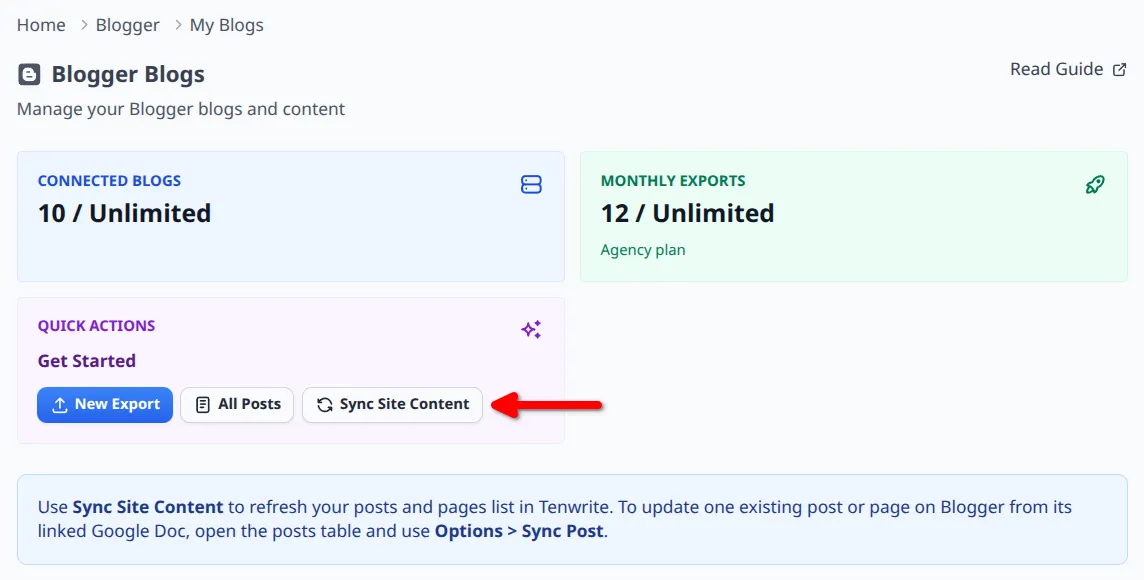
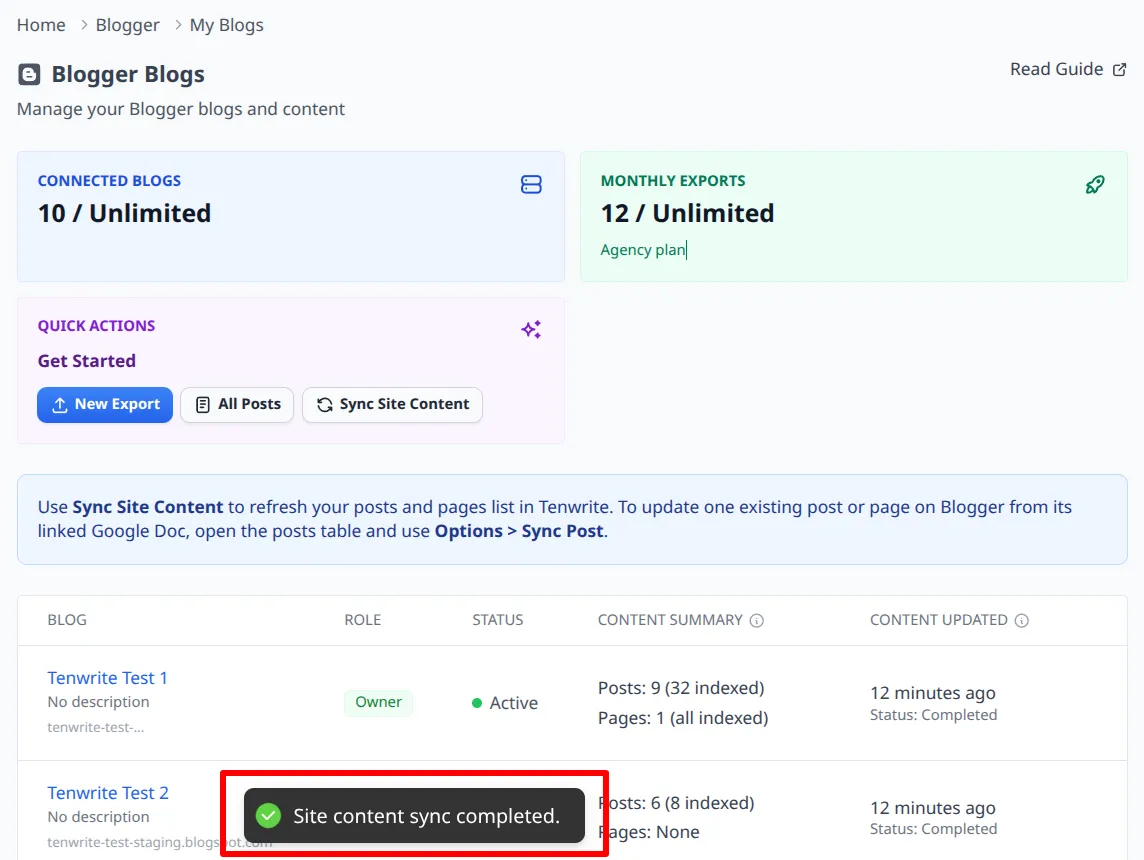
If you’ve just published or edited something in Blogger and want to see it reflected in Tenwrite right away, use Sync Site Content. For the full flow, see Sync Site Content.
You can trigger a sync from:
- the Quick Actions card on My Sites
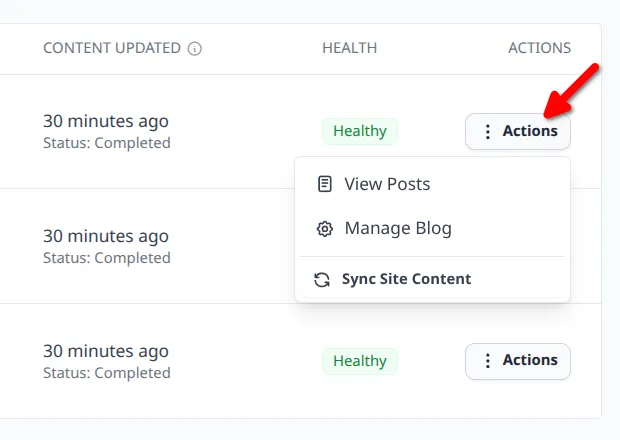
- any blog’s Actions menu in the table
- the header on the My Posts page
What’s the difference between Sync Site Content and Sync Post?
Section titled “What’s the difference between Sync Site Content and Sync Post?”These two actions do different things and it’s worth knowing which one to reach for:
| Action | What it does |
|---|---|
| Sync Site Content | Pulls the latest posts and pages from Blogger into Tenwrite’s index. Use this when you want My Posts to reflect changes made directly in Blogger. |
| Sync Post | Re-exports a single linked Google Doc into its existing Blogger post or page. Use this when your Google Doc is the source of truth and you want to push updates to Blogger. |
Actions Per Blog
Section titled “Actions Per Blog”In the sites table, open a blog’s Actions menu to:
- View Posts — jump to My Posts filtered for that blog.
- Manage Blog — open the blog detail page.
- Sync Site Content — sync just that specific blog.
Blog Details
Section titled “Blog Details”Click any row in the table to open that blog’s detail page.
For the full single-site view, including blog details and connection status, see Manage a Blogger Site.
Google Re-authorization
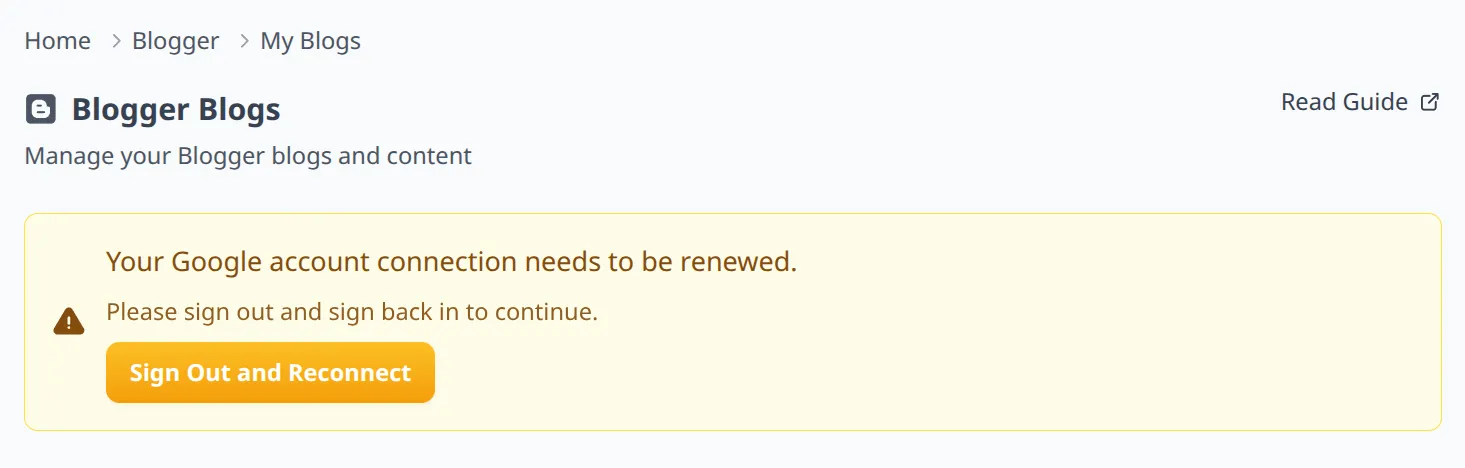
Section titled “Google Re-authorization”If Tenwrite shows a warning that your Google account connection needs to be renewed, it usually means your Blogger permissions have expired. To fix it, sign out of Tenwrite and sign back in with the same Google account.
Related Guides
Section titled “Related Guides”Tenwrite is an independent product not affiliated with or endorsed by Google LLC, Blogger, or WordPress Foundation. Google Docs, Gmail, Google Workspace are trademarks of Google LLC. WordPress is a trademark of the WordPress Foundation.