
How to Connect Your Blogger Blogs to Tenwrite
Because Tenwrite connects to your Google account, it automatically discovers all the Blogger blogs that account owns — no manual setup, no copy-pasting blog URLs.
Before You Start
Section titled “Before You Start”Make sure that:
- You can sign in to Tenwrite with your Google account.
- The Google account owns or can manage at least one Blogger blog.
- The blog already exists on blogger.com.
Open My Sites
Section titled “Open My Sites”- Sign in to Tenwrite with the Google account that owns your Blogger blog.
- Open the Google Docs Add-on or the Web Dashboard.
- Click Blogger > My Sites in the sidebar.
- Wait for Tenwrite to load your blogs.
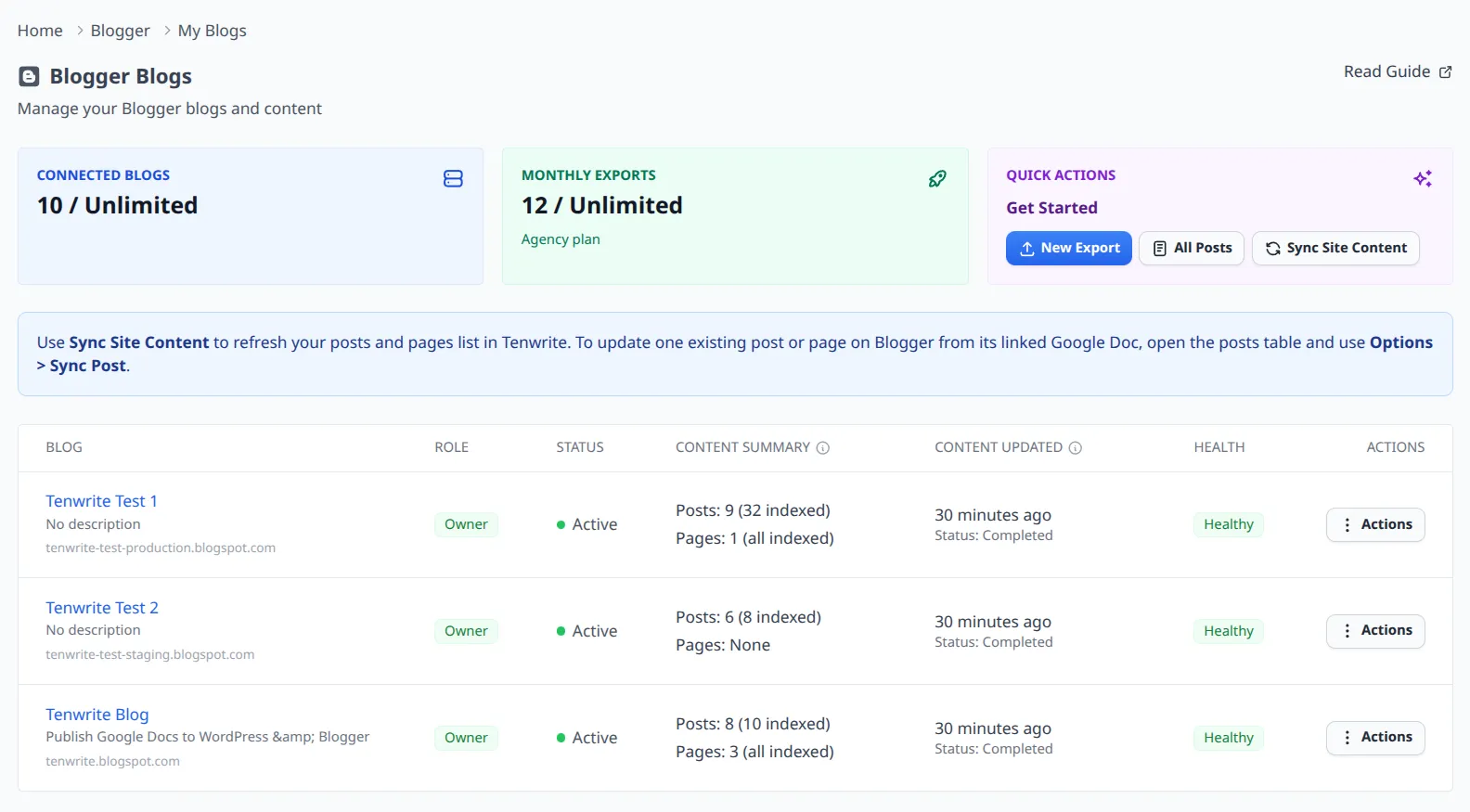
If your blog appears in the list, the connection is ready and you can start exporting.
What to Do After Blogs Appear
Section titled “What to Do After Blogs Appear”Once your blog is visible in My Sites, you can:
- Start a new export from Blogger > New Export.
- Refresh the blog content with Sync Site Content.
- Open All Posts to manage synced posts and pages.
Troubleshooting
Section titled “Troubleshooting”No Blogs Found
Section titled “No Blogs Found”If Tenwrite shows No blogs found, use this checklist:
- Confirm that the signed-in Google account is the same one that owns the Blogger blog.
- If you just created the blog on Blogger, wait up to 5 minutes and refresh the page.
- Open blogger.com directly and verify the blog exists in the same Google account.
- Sign out of Tenwrite and sign back in with the correct Google account if needed.
Your Google account connection needs to be renewed
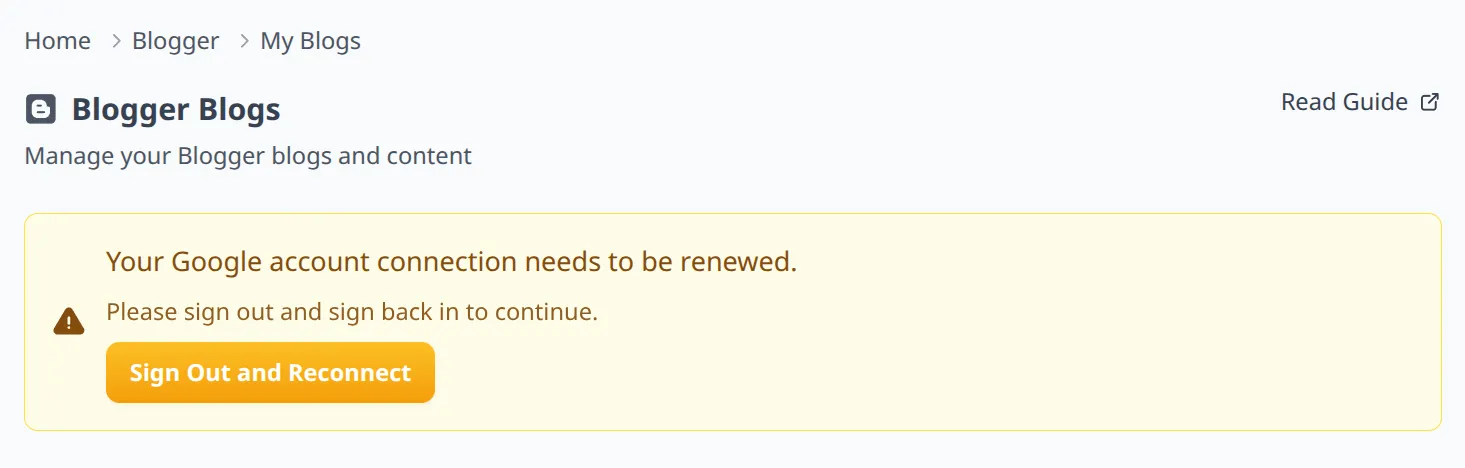
Section titled “Your Google account connection needs to be renewed”Sometimes your Tenwrite session remains active while Blogger permissions expire.
If you see a warning that says your Google account connection needs to be renewed:
- Click Sign Out and Reconnect.
- Sign back in with the Google account that owns the Blogger blog.
- Return to Blogger > My Sites and wait for the list to refresh.
Site Still Missing After Reconnect
Section titled “Site Still Missing After Reconnect”- Confirm you are signed in with the same Google account in both Tenwrite and Blogger.
- Check whether the blog is available to that account as owner or admin.
- Wait a few minutes and refresh My Sites again.
- Contact support@tenwrite.com with your blog URL and account email if it still does not appear.
Related Guides
Section titled “Related Guides”Tenwrite is an independent product not affiliated with or endorsed by Google LLC, Blogger, or WordPress Foundation. Google Docs, Gmail, Google Workspace are trademarks of Google LLC. WordPress is a trademark of the WordPress Foundation.